Picture this. You step out of the shower and it hits you: a startup idea that feels genuinely original. You grab your phone, still dripping, and type a few frantic sentences into your notes app before the thought escapes. Then you get dressed, go about your day, and that concept sits quietly next to your grocery list and a half-finished book recommendation from three years ago.
The default notes app has become the world’s largest graveyard for startup ideas. They go in but almost never come out, because capturing a thought and defining an idea are two very different things.
This article covers how founderscore approaches that gap, starting with creating your first project and optionally using the AI Brainstorm Worksheet to turn a rough concept into a structured brief the platform can actually work with.
Creating Your First Project
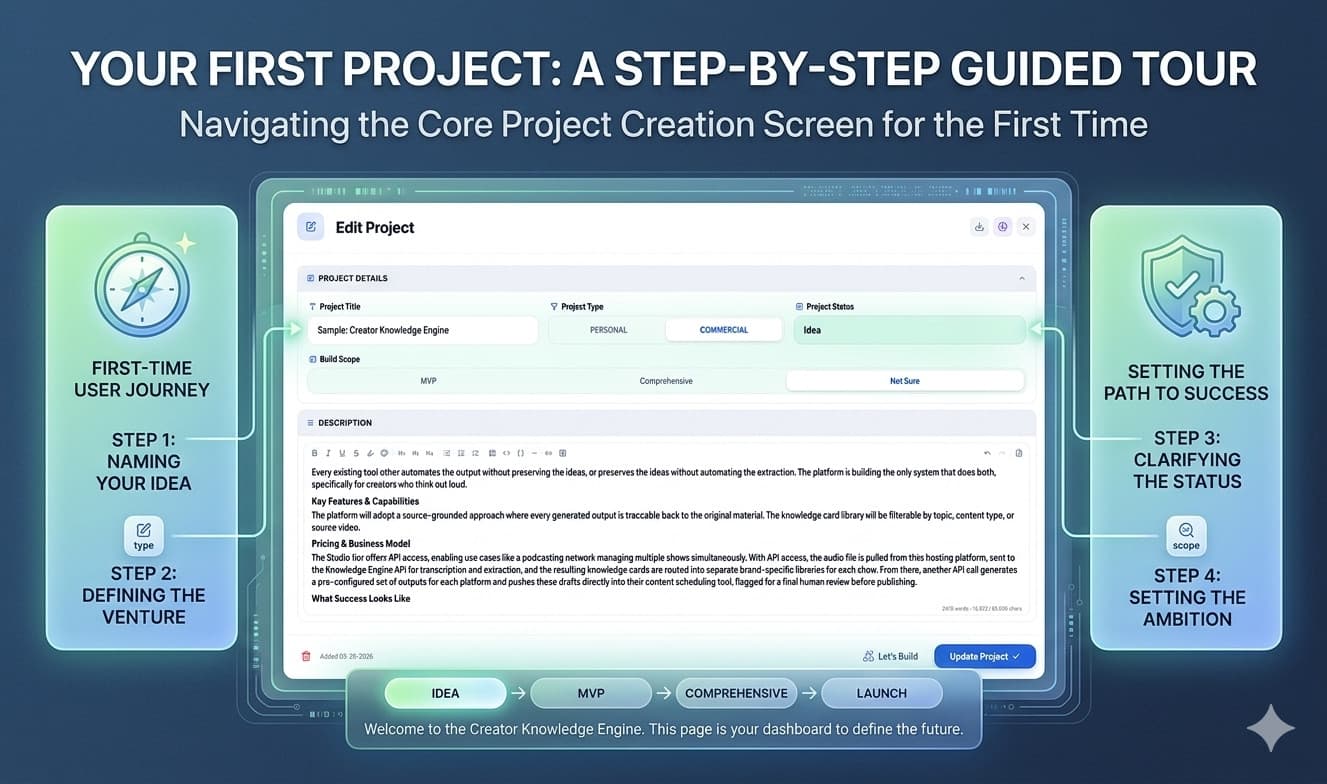
Click the New Project button in the top right of the Projects Dashboard to open the project creation modal. The interface has two distinct sections that reflect two different kinds of thinking: structured metadata at the top and open-ended description below.
Project Details is a collapsible section containing four fields:
-
Title: required, capped at 150 characters. The limit is intentional. If you cannot name your idea concisely, that is useful information before you go any further.
-
Type: Personal or Commercial. This tells the platform whether the idea is a side project for your own use or something you intend to sell.
-
Status: populated from your custom status list. Most projects start at Idea.
-
Build Scope: MVP, Comprehensive, or Not Sure. This single choice carries real downstream weight. Setting MVP signals to the system that you want ruthless prioritization. Setting Comprehensive signals that you expect deeper architectural consideration and a longer timeline. Not Sure is a perfectly valid starting point.
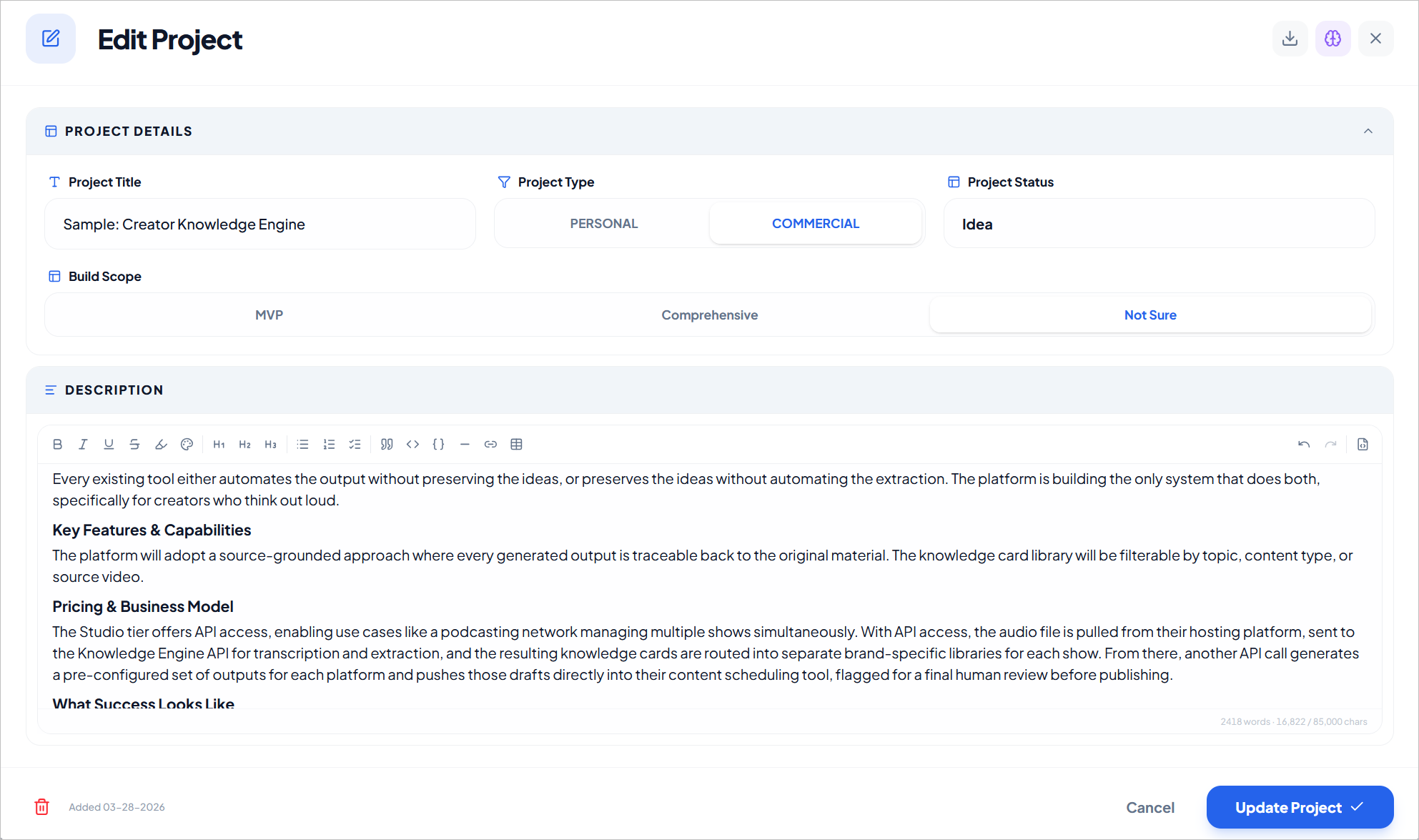
Description is where the idea lives. The editor is a full markdown-native rich text environment with a complete toolbar covering bold, italic, underline, strikethrough, headings, bullet and ordered lists, task lists, blockquotes, code blocks, links, and more. A markdown source view toggle lets you work directly in raw markdown if you prefer. A word and character count footer sits at the bottom of the editor.
You can type directly into the description field, paste in existing notes, or use the AI Brainstorm Worksheet to generate a structured first draft. All three are valid starting points.
The Blank Page Problem
Even with a well-organized editor in front of you, a blank description field can be paralyzing. The challenge is not a lack of things to say about your idea. It is that generating structure, deciding what matters, and writing coherent prose all at the same time is genuinely hard work.
The AI Brainstorm Worksheet addresses this by shifting the mode. Instead of generating from nothing, you are responding to specific questions. The structure already exists. You just have to fill it in honestly.
The worksheet is optional. If you already have a detailed description written, the platform can work with that directly. But if your idea is still rough, or if you want to make sure you have covered the angles that matter most to the downstream analysis, the worksheet is the fastest path to a definition the AI can actually use.
Using the AI Brainstorm Worksheet
Click the purple brain icon in the modal header to open the worksheet. It is a structured seven-section form that guides you through the dimensions of your idea from concept to constraints. When you submit, the AI synthesizes your answers into a polished markdown brief and inserts it directly into the description field.
Here is what each section covers and why it matters.
Section 1: Describe Your Idea
You start by selecting a product archetype from ten options: Search-Driven SaaS, Workflow/Productivity SaaS, Marketplace, Community Platform, Network Platform, Content Platform, Infrastructure/API Tool, Mobile Consumer App, Hardware/IoT, or Data/AI Platform. There is also a Not Sure option if the category is genuinely unclear.
This choice is not cosmetic. Each archetype carries different risk profiles, different scoring weights, and different validation requirements. Selecting Marketplace immediately signals a two-sided network problem. Selecting Infrastructure/API Tool shifts the scoring toward developer adoption signals. The archetype acts as a lens the platform uses to calibrate everything that follows.
You also provide a plain-English description of the idea, any similar products you are aware of, and your current stage from shower thought to already in use.
Section 2: Define The Problem
Here you define the problem your idea solves, the persona experiencing it, how they currently deal with it, and the key assumption that makes your approach better than what already exists.
The workaround question deserves particular attention. If your target user is not currently duct-taping multiple tools together, building their own spreadsheet system, or paying someone to do manually what your product would automate, the problem may not be painful enough for them to pay to solve it. Identifying the workaround also naturally surfaces your differentiation: you are not replacing nothing, you are replacing something specific.
Section 3: What It Actually Does
You describe what a new user does in their first five minutes with the product, then list up to three must-have features and two nice-to-have features.
The feature limit is one of the most useful constraints in the worksheet. Cutting your idea to three core functions forces you to identify the actual value proposition rather than describing everything the product could eventually become. If everything is a priority, nothing is. The AI uses this list to understand scope and to flag anything that looks too complex for the build scope you declared.
Section 4: Technology and Complexity
You select your product type (web app, mobile app, AI-powered, automation, API, hardware, and others as a multi-select), your technical requirements (user accounts, database, third-party APIs, payments, real-time data, file uploads, email and notifications), and the parts of the build you consider most uncertain or risky.
This section gives the platform the inputs it needs to assess execution risk honestly. Declaring that your idea requires real-time data streaming, complex payment routing, and AI inference while also setting an MVP scope and a four-week timeline is a combination the analysis will flag.
Section 5: Effort and Constraints
You describe your build capability, select a rough timeline, and state your real constraints around time, budget, and dependencies.
The honesty here matters more than it might seem. The platform is not looking for impressive answers. It is looking for accurate ones. A mismatch between your ambitions and your declared constraints is precisely the kind of signal the feasibility analysis is designed to surface.
Section 6: If You Plan to Sell This
This section is optional and only relevant for commercial projects. You select a monetization model (subscription, one-time, usage-based, freemium, or not sure), estimate ongoing operating costs, and set a specific paying customer target such as 50 customers at $49 per month.
If you skip this section entirely, the Business Model section will be omitted from the generated brief. If you are not yet thinking about monetization, that is fine. But if you are, filling this out gives the downstream pricing and unit economics analysis something concrete to work with.
Section 7: What Success Looks Like
You define what success means for this specific idea: a revenue target, a user count, time saved, portfolio value, or something else. You also define your exit conditions: the specific point at which you would decide the idea is not working and move on.
The exit conditions question is worth sitting with. Defining the parameters for stopping before you are emotionally and financially invested in the outcome is one of the most practical things you can do at the idea stage.
The Output
When you submit the worksheet, the AI synthesizes your answers into a structured markdown brief and inserts it into the description field, replacing any existing content. This is intentional. The worksheet is designed to establish the authoritative first definition of your project using the seven structured sections. If your description field already had rough notes in it, the platform will warn you before the worksheet opens and ask you to confirm before proceeding. The generated brief becomes your starting point, not an addition to what came before.
The brief has up to seven sections depending on what you provided: Overview, The Problem, What It Does, Technology and Architecture, Effort and Constraints, Business Model (only if you completed Section 6), and What Success Looks Like.
This is a first draft, not a finished document. It gets you most of the way there without requiring you to write a single paragraph from scratch. Everything it produces is fully editable. Read it through, adjust anything that does not reflect your intent, and add any context it missed.
Best Practices
A few things that consistently produce better output from the worksheet:
Be specific about your persona. “Independent coffee shop owners managing perishable inventory” gives the AI a real person to reason about. “Small business owners” does not. The more concrete the persona, the more relevant the problem validation becomes.
Be honest about your constraints. The platform is not grading you on ambition. It is trying to give you an accurate picture of whether your idea is feasible given your actual situation. Overstating your capabilities or understating your timeline leads to a report that flatters you rather than informs you.
Cut the feature list ruthlessly. Three must-haves. Two nice-to-haves. If you find yourself arguing that six things are all equally essential, that is a scope problem to solve now rather than weeks or months into a build.
Treat the output as a starting point. The AI Brainstorm Worksheet gets your idea into a form the platform can work with. The interview that follows in the next step will add additional clarity, surface gaps, and deepen the analysis. You do not need a perfect description before you begin. You need a clear enough one.
What Comes Next
Once your project description is in good shape, the Feasibility Report process begins with an adaptive AI interview. The platform reads your description, identifies the highest-priority information gaps specific to your idea, and opens a structured Q&A that covers 13 knowledge areas before the 10-phase research pipeline runs.
That is the subject of the next article in this series.
Ready to capture your first idea? founderscore offers a 7-day free trial with 3 credits included. No long-term commitment required. Your first Feasibility Report costs one credit and takes roughly an hour from first question to scored verdict.